


The OneMiners mobile app just had its biggest update yet. You can now top up energy, track repairs, follow every transaction and browse a faster marketplace — all from your phone. Here is everything new in the latest release.
We have grouped the highlights into two parts: what everyone sees on the guest app before signing in, and what account holders get once they log in.
New for everyone
Buy Now, Pay Later — and our partners
The guest home screen now carries the same highlights as the website. Start mining with just 25% upfront through our Buy Now, Pay Later – Quarter Payment plan, then meet the Partners in Crypto Mining we work with. Every partner logo is tappable and links straight through.
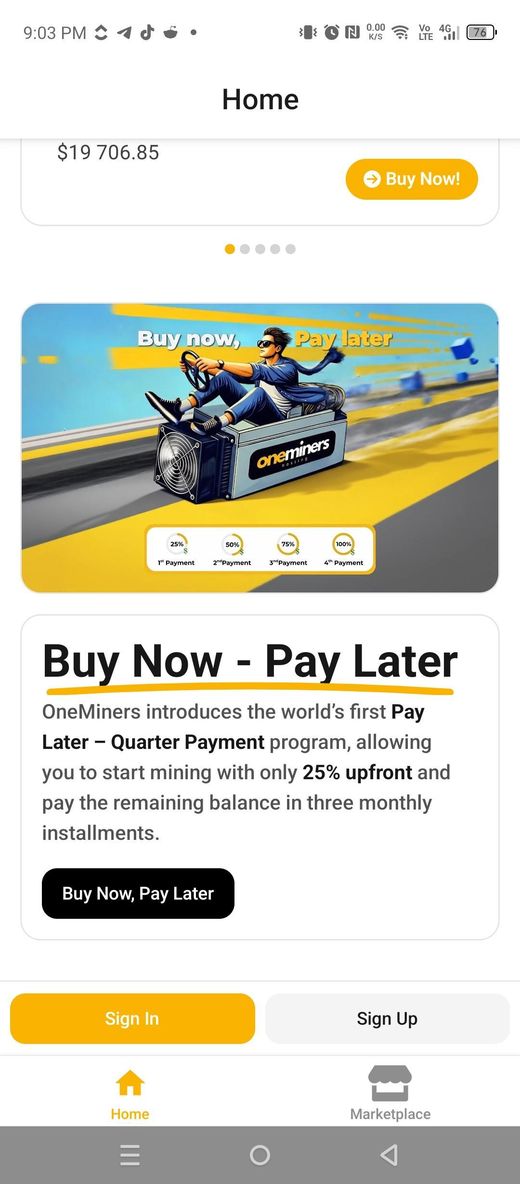
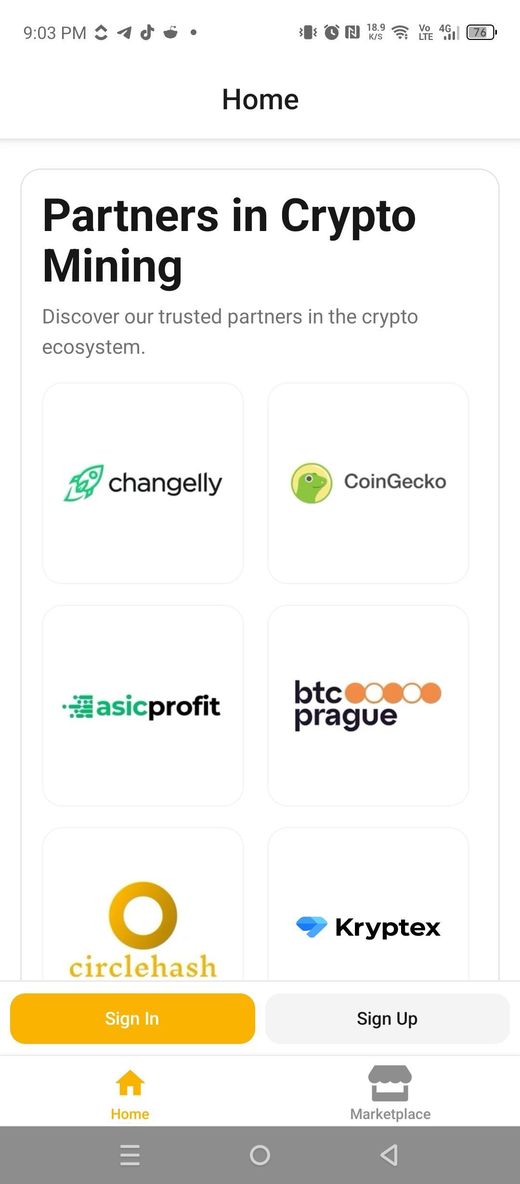
Buy Now, Pay Later and Partners in Crypto Mining on the guest home screen.
Push notifications that keep you posted
Say yes when prompted and the app keeps you in the loop — a miner restarting, a payout landing, an order moving forward. Tap a notification to jump straight to the right screen. Prefer quiet? Decline, and your in-app notifications still work as normal.
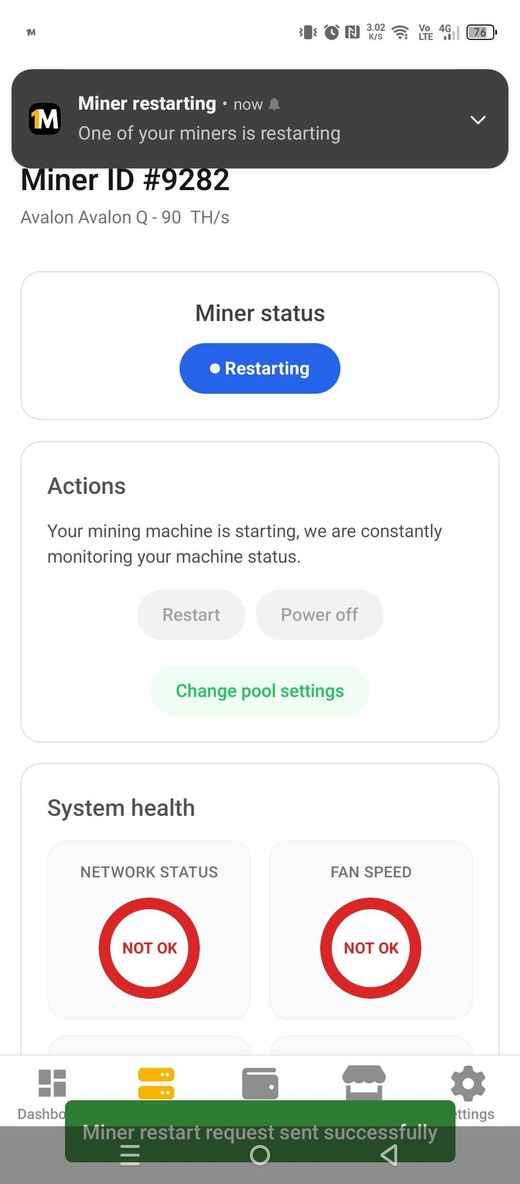
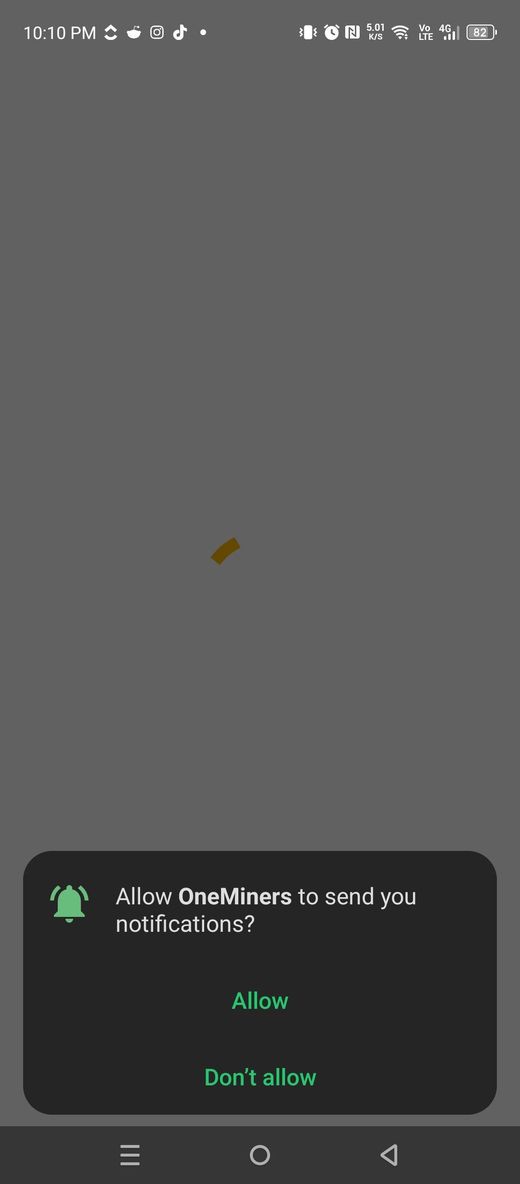
Opt in for real-time alerts, or keep everything in-app.
New for account holders
Top up your Energy & Fees wallet in-app
Fund your Energy & Fees wallet without leaving your phone. Pay from your existing crypto balance, swap any supported coin with Changelly Pay, send BTC or LTC through BTCPay, or request a Xero invoice — then choose your amount and you are set.
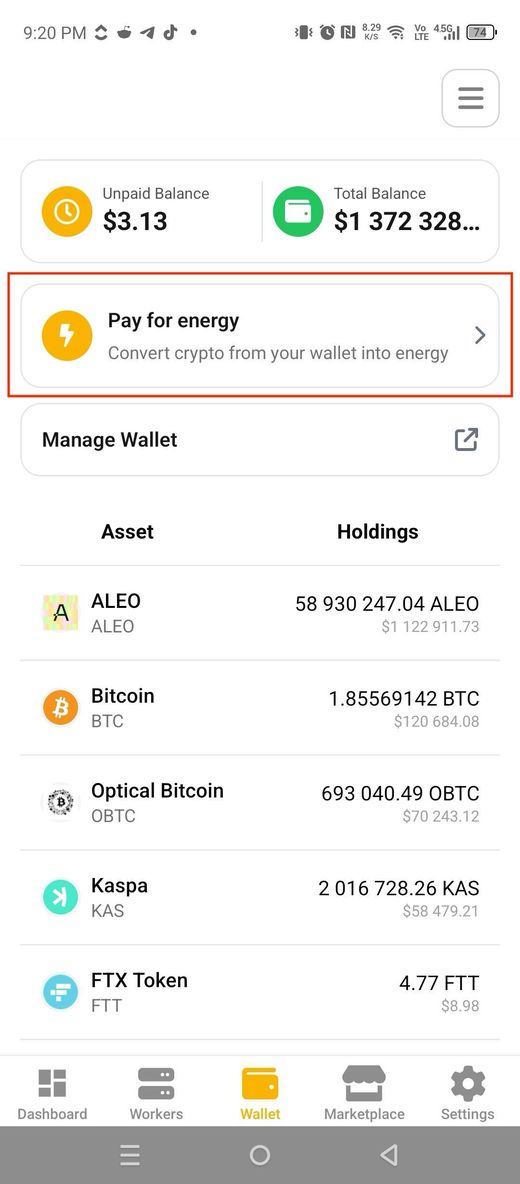
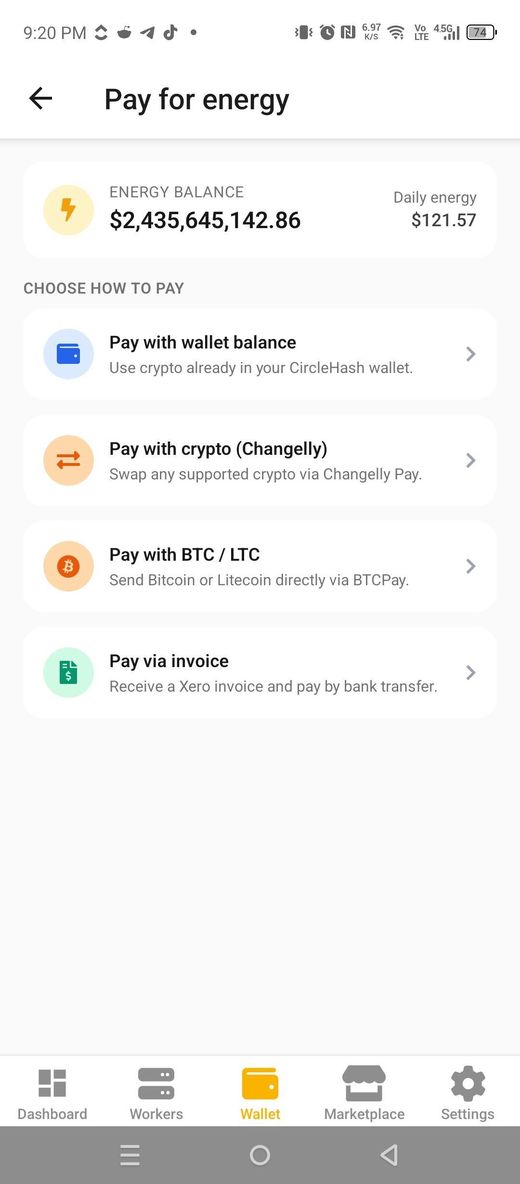
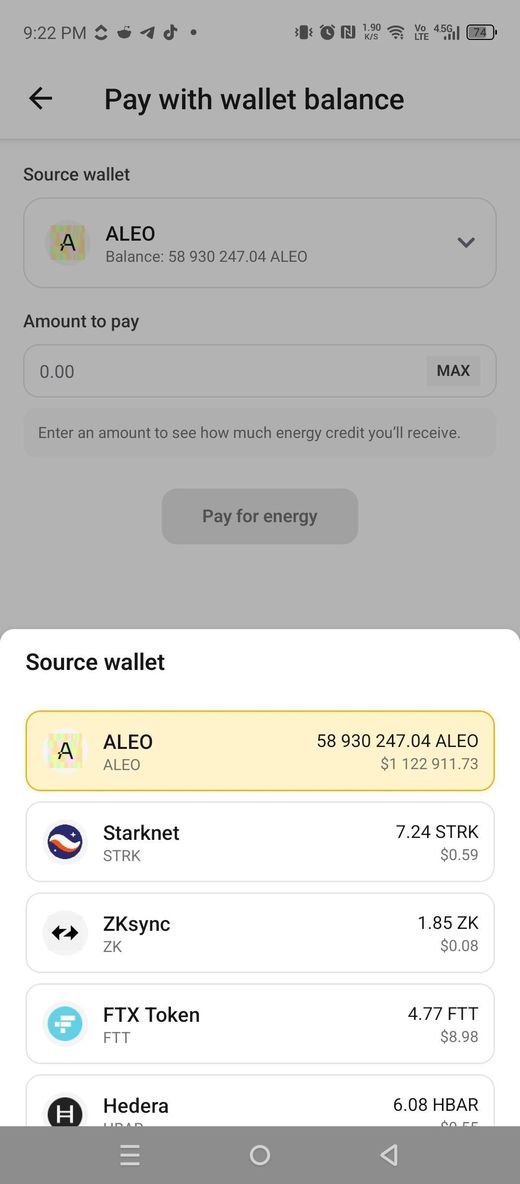
Four ways to fund your Energy & Fees wallet, right in the app.
A dedicated Repairs screen
Track every repair in one place. Open Repairs from the menu to see each record tied to your account and its status at a glance, then open any item for the full detail — the reason, the timeline and the miner involved.
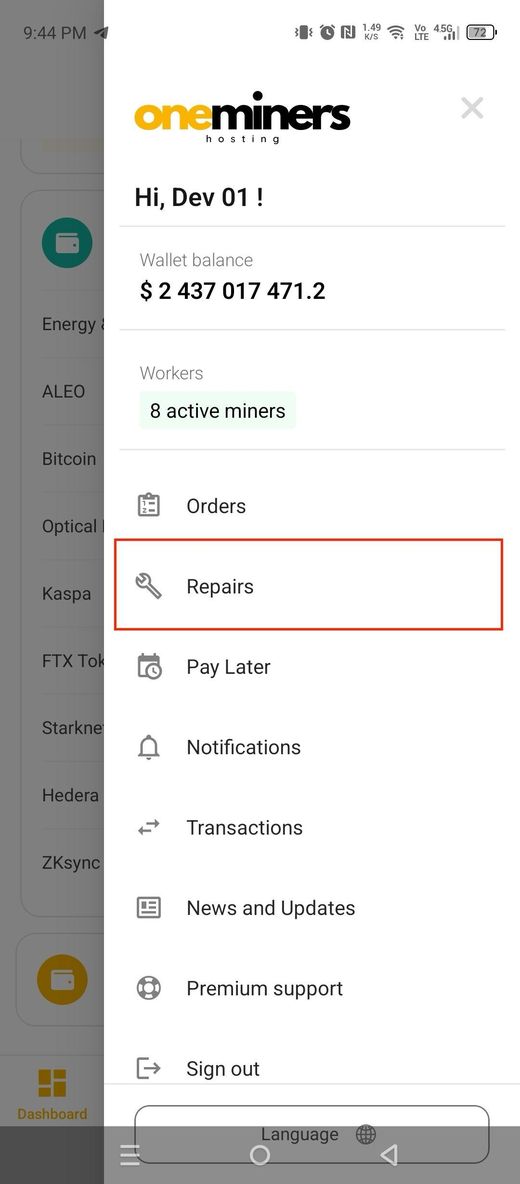
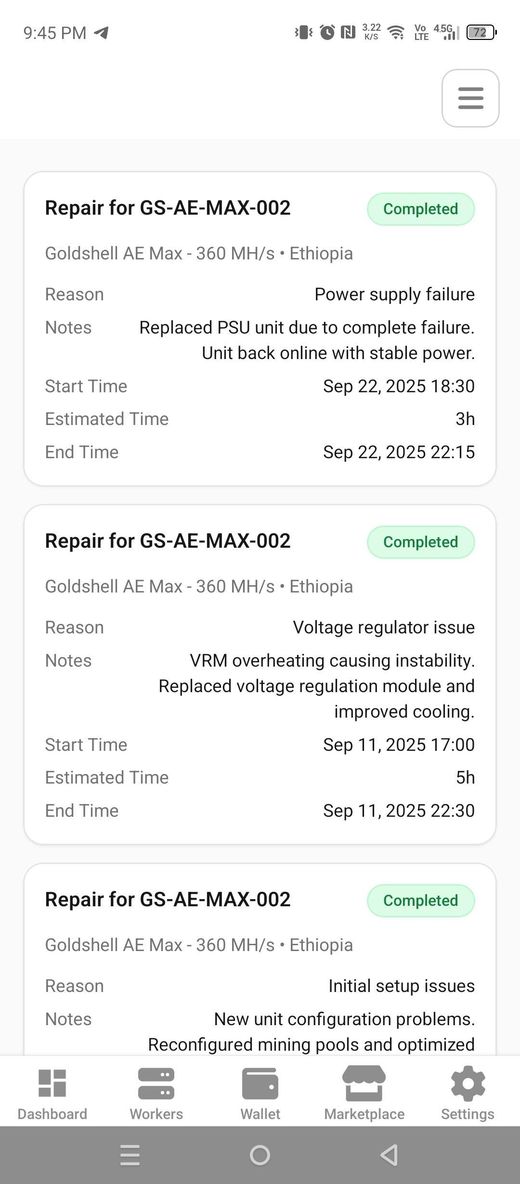
Clear repair status and full history, per miner.
A notifications bell and screen
A new bell icon and dedicated Notifications screen bring your account, miner, wallet and system alerts into the app. Unread items stand out, and each one links straight to the detail — no need to open the web app to stay informed.
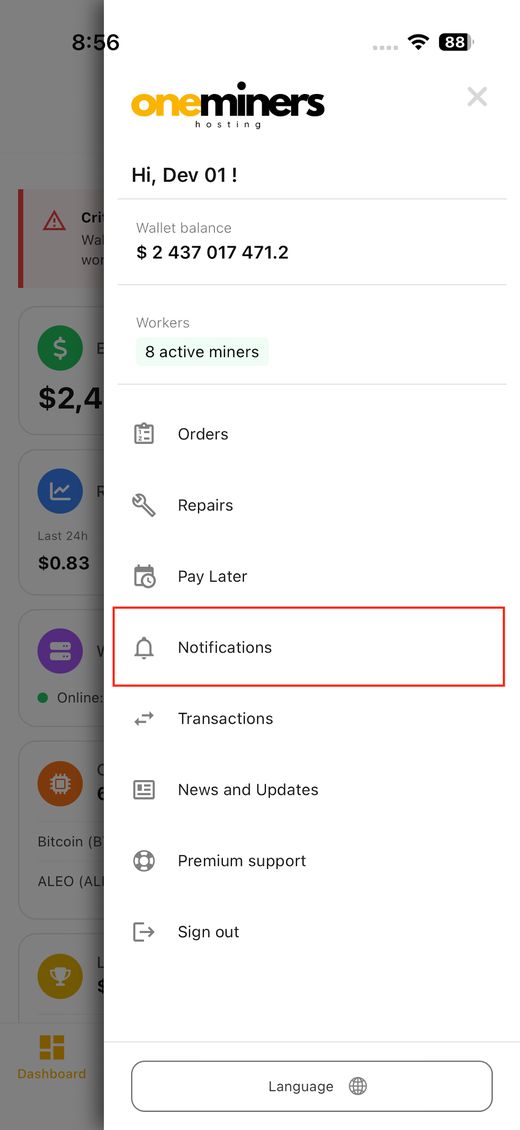
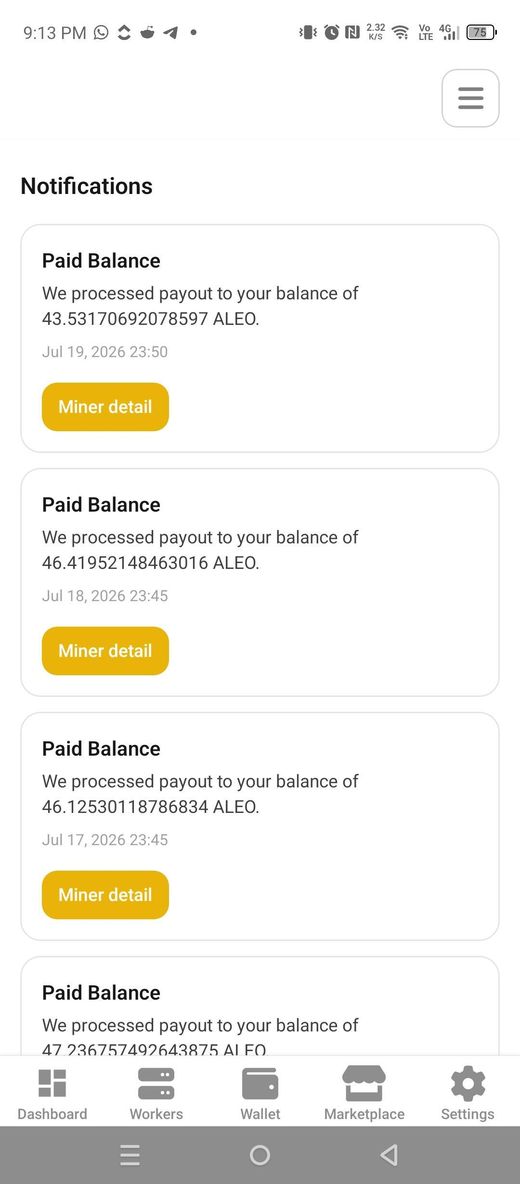
Every account alert, in one place, with unread badges.
News & Updates, inside the app
Catch the latest announcements without hunting around. Browse News & Updates, read the full article, and open any attachment — like our monthly network update — all in one tap.
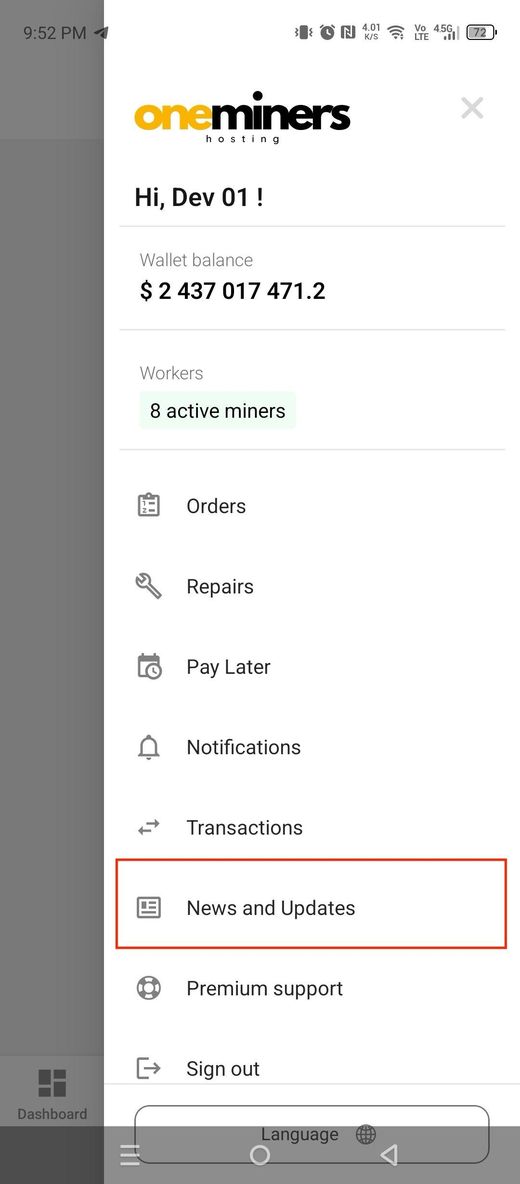
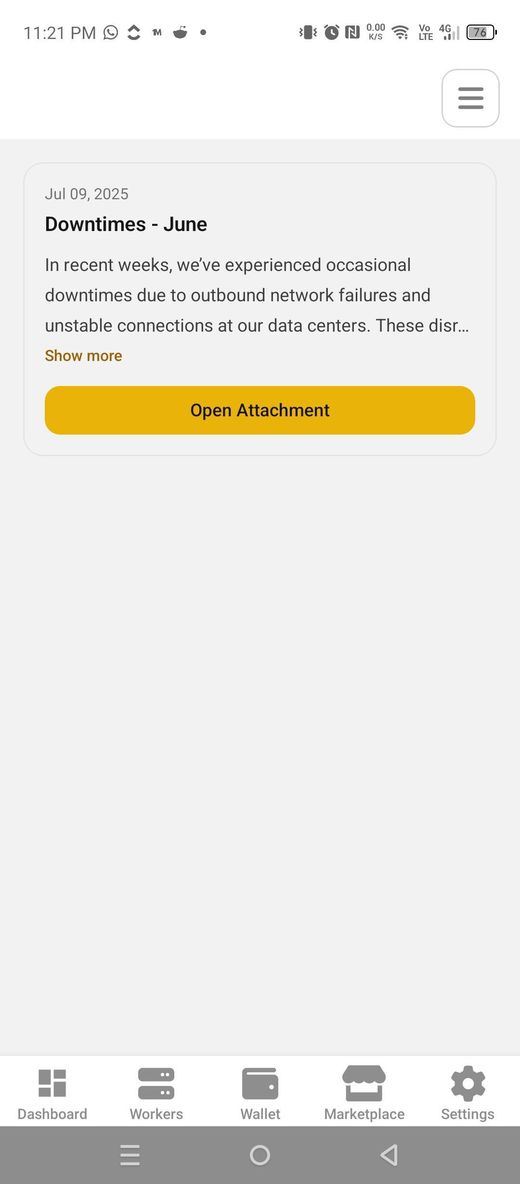
Announcements and attachments, delivered in-app.
A complete Transactions view — five tabs
The new Transactions screen gives you a full view of wallet activity across five tabs: Payouts, Order Payments, Exchanges, Miner Rewards and Deposits. Every entry carries a clear status badge — Requested, Processed or Pending — with USD estimates on exchanges and per-miner rewards.
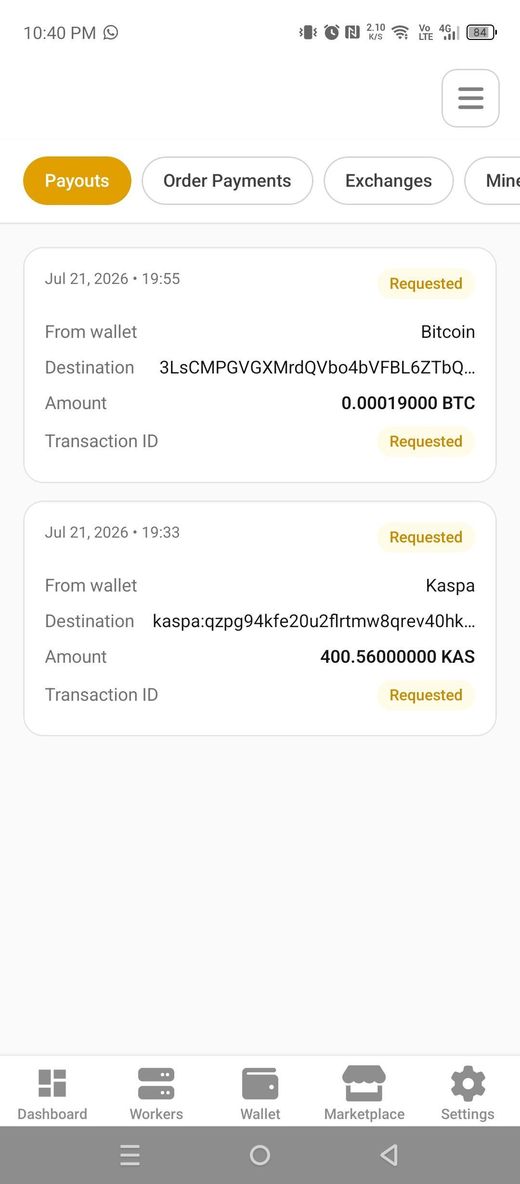
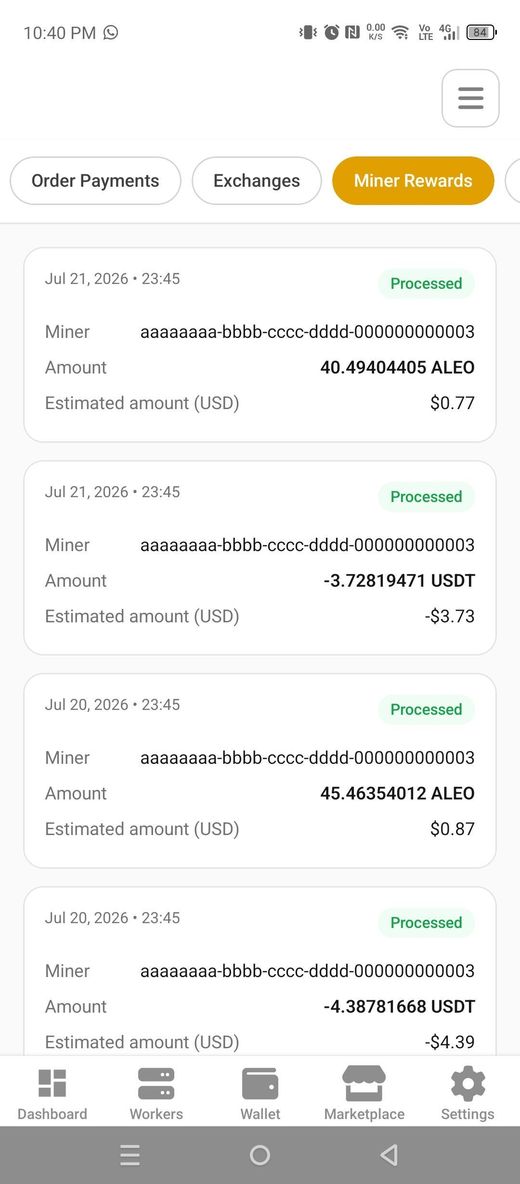
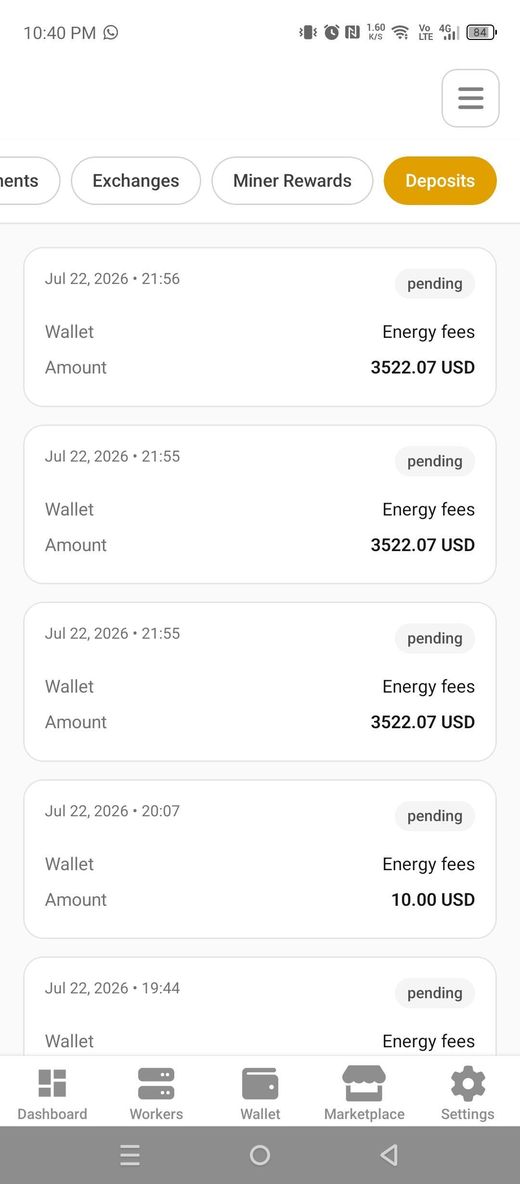
Payouts, order payments, exchanges, miner rewards and deposits — each with a status badge.
Marketplace: clearer profit, faster browsing
The Marketplace now sorts by estimated daily profit by default, so the strongest miners rise to the top. A new info icon explains the USD estimate, dual-mining rigs show both coins, and negative days display honestly. Everything loads faster and scrolls smoother — and Android gets a tidier search field, filters and sort. Run your own numbers any time at asicprofit.com.
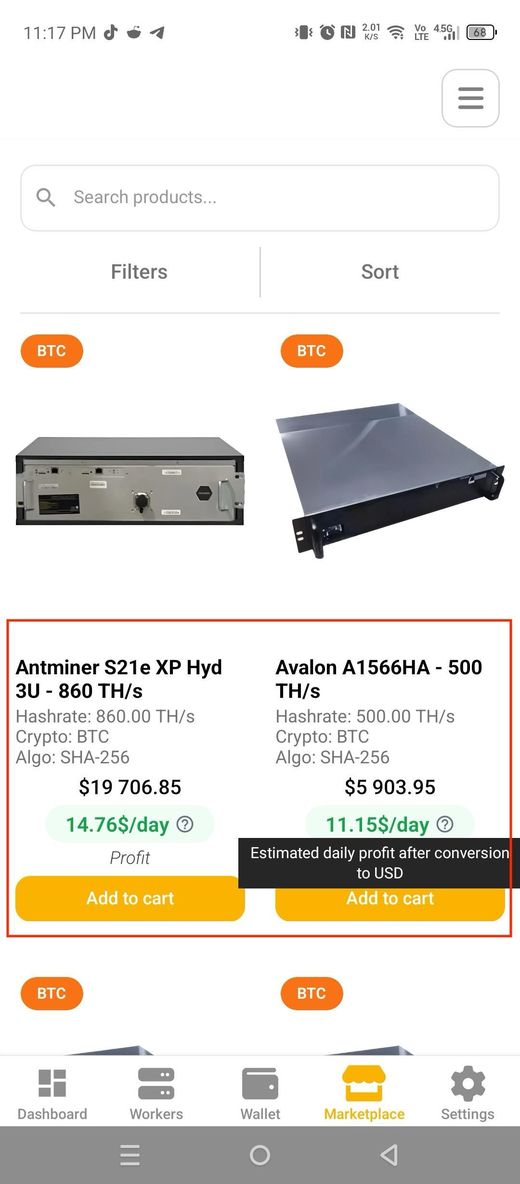
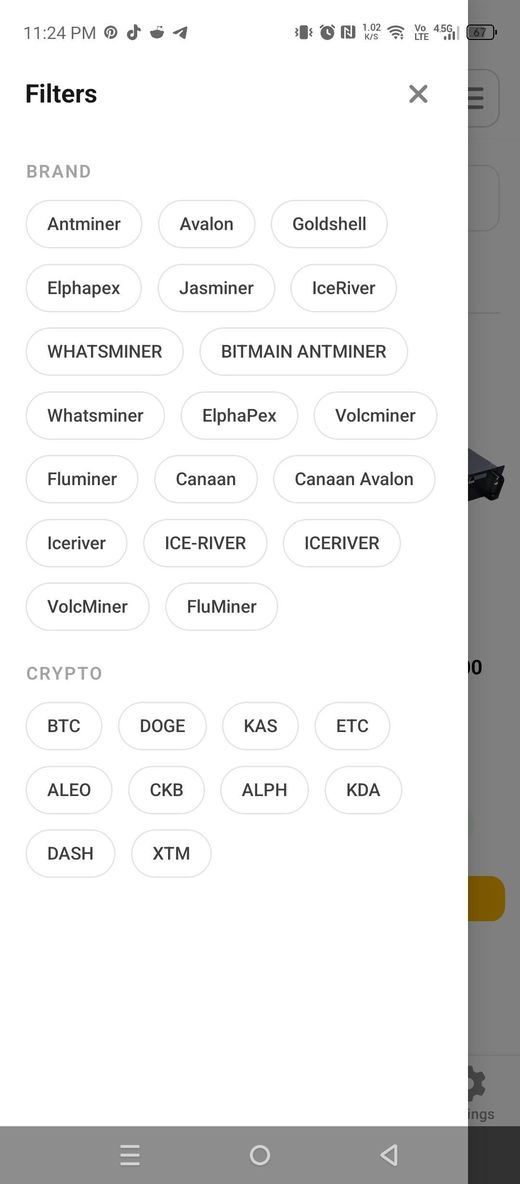
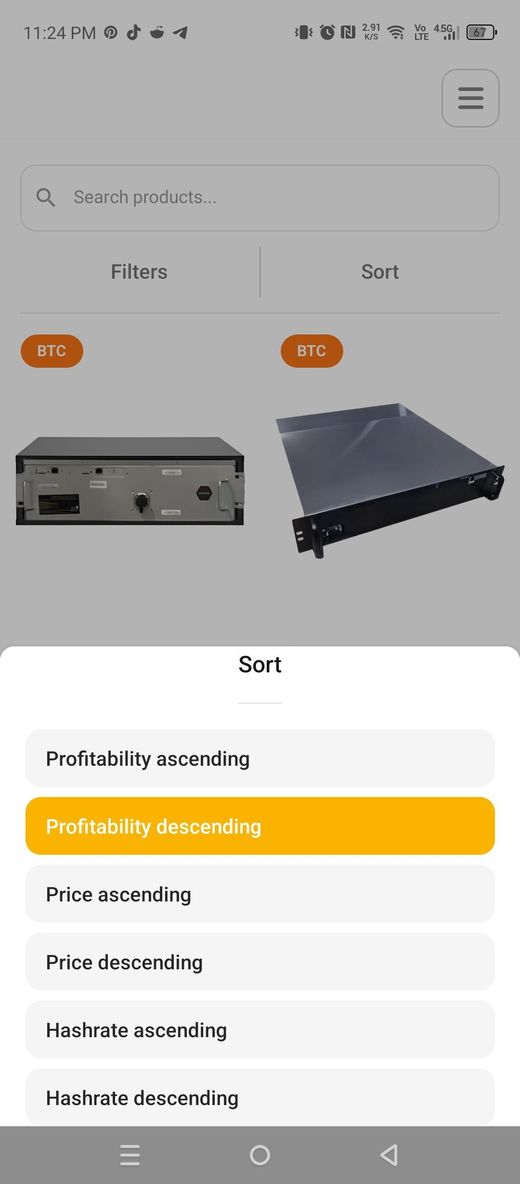
Sort by estimated profit, compare dual-coin rigs, and filter faster.
A smarter sidebar
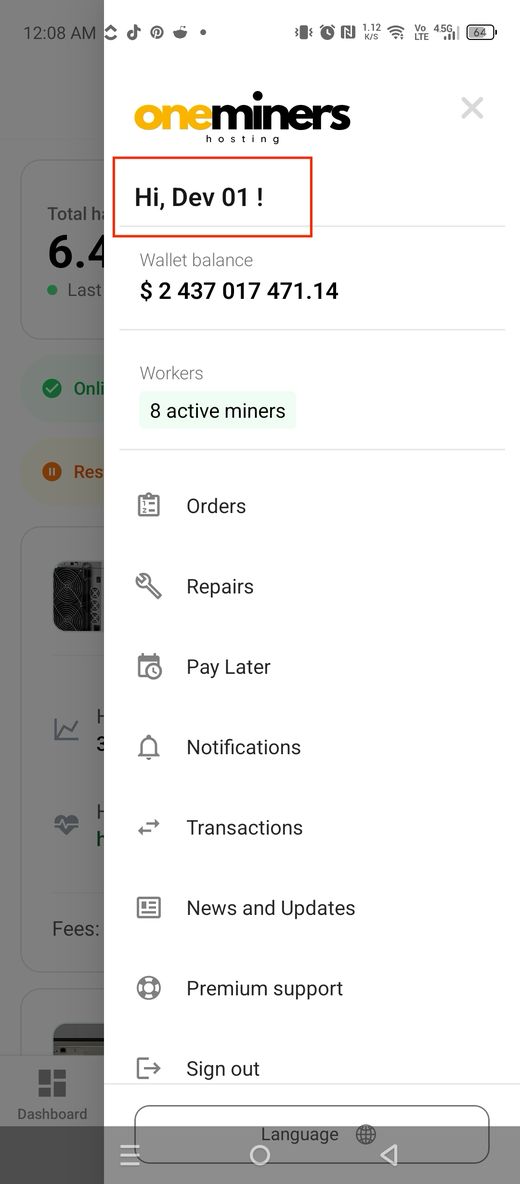
The sidebar now greets you by account with a welcome message, shows your wallet balance more accurately, and separates your miner info from your funds. Tap your active-miner count and you go straight to the Workers screen to see every rig.
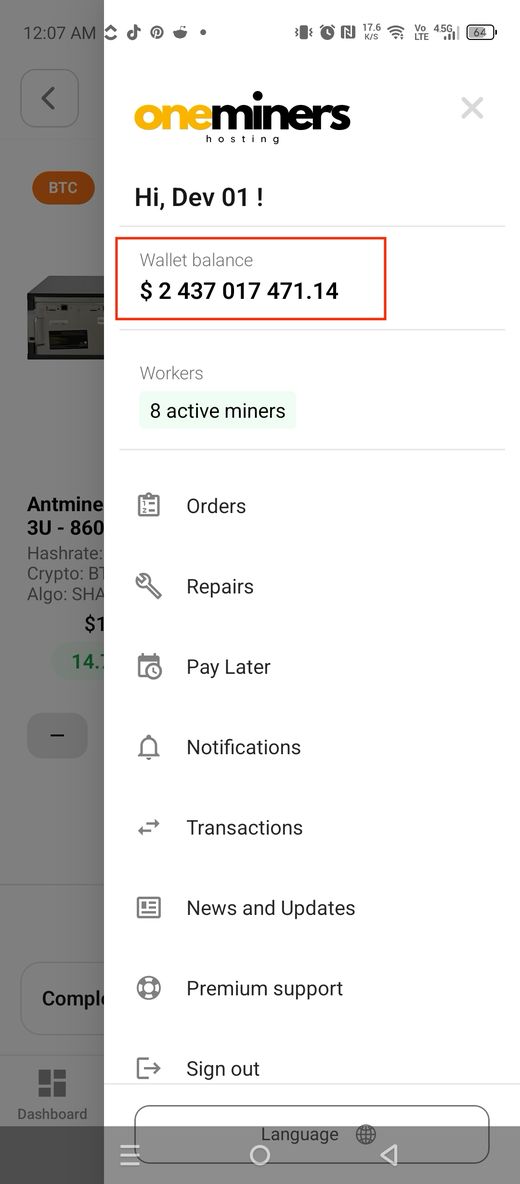
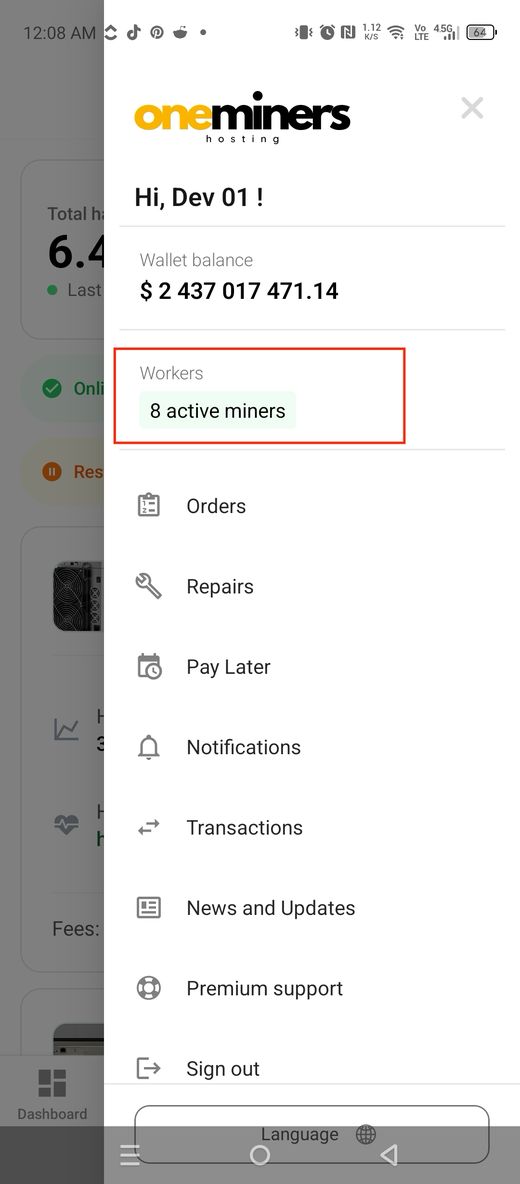
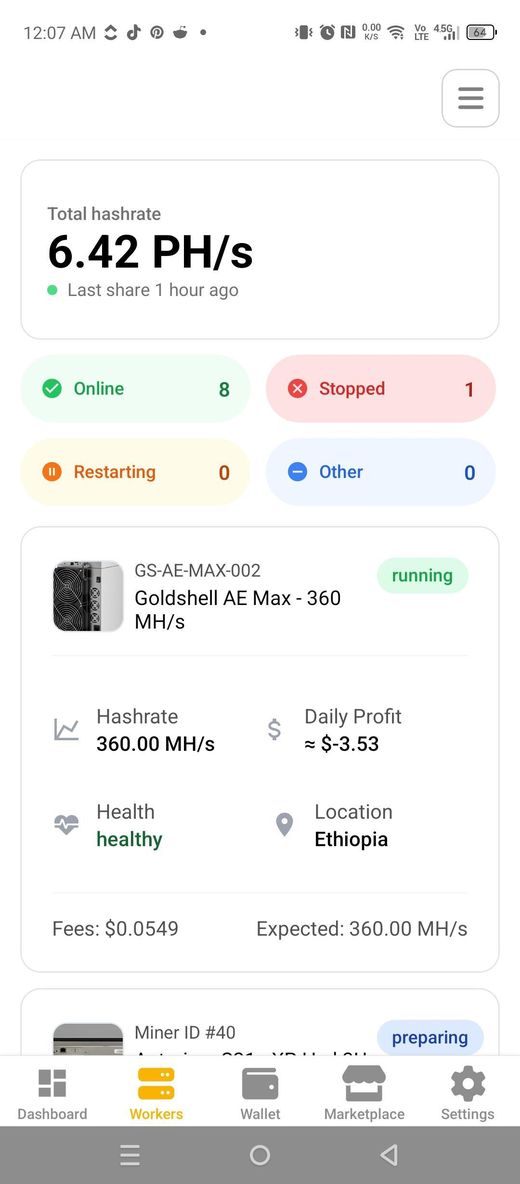
A friendlier sidebar, with a one-tap jump to your Workers.
A cleaner cart and checkout
Checkout is simpler and clearer: the button now reads Complete Order, and we have removed the old “finish on the web” prompts and outdated wallet helper text. Same trusted checkout — just less clutter.
A tidier cart with a clear Complete Order button.
Everything in this release
- Buy Now, Pay Later & Partners in Crypto Mining on the guest home screen
- Push notifications with deep links to the right screen
- Energy & Fees wallet top-up (wallet balance, Changelly Pay, BTC/LTC, Xero invoice)
- New Repairs screen with per-miner status and detail
- New Notifications bell and screen
- New News & Updates screen with attachments
- New Transactions screen across five tabs
- Faster Marketplace that sorts by estimated profit and shows dual-coin rigs
- Smarter sidebar with welcome message and one-tap Workers
- Cleaner cart and checkout with a Complete Order button
FAQ: the July 2026 app update
1. How do I get the new features?
Update the OneMiners app from your app store to the latest version. All ten upgrades are included.
2. Can I really start mining with 25% upfront?
Yes. The Buy Now, Pay Later – Quarter Payment plan lets you start with 25% upfront and pay the remaining balance in three monthly installments. Tap the banner on the guest home screen to begin.
3. How can I pay to top up my Energy & Fees wallet?
From your existing crypto balance, by swapping supported coins with Changelly Pay, by sending BTC or LTC through BTCPay, or by requesting a Xero invoice.
4. What do the Transactions status badges mean?
Requested means an action has been submitted, Processed means it is complete, and Pending means it is still in progress — for example an energy-fee deposit that is being confirmed.
5. Do I need notifications turned on to use the app?
No. Push notifications are optional. If you decline, your in-app Notifications screen still works normally.
Your whole mining operation, now in your pocket. OneMiners puts it one tap away.


