


How-To Guide | ONEMINERS RESEARCH
How to Set Up an Antminer in 2026: The Complete Step-by-Step Guide
Power, cooling, network, pool, worker: the full setup for an Antminer in eight steps, with the electrical numbers most guides leave out, and a troubleshooting table for when it will not hash.

By Michal Beno, CEO, OneMiners
Data verified 24 September 2026 · 12 min read
The short answer
To set up an Antminer: (1) give it a dedicated 200 to 240 V circuit sized for its draw, (2) provide cooling (airflow for air models, a running coolant loop for hydro), (3) connect Ethernet, (4) find its IP address, (5) log in to the web dashboard and change the default password, (6) enter your pool URL, worker name and backups, (7) confirm official firmware, and (8) verify hashrate and temperatures.
An Antminer is not a computer you plug into the wall. It is closer to an electric oven that happens to compute: several kilowatts of continuous load that turns almost every watt into heat. The software side takes ten minutes. The power and cooling side is where most first setups go wrong, so this guide starts there.
23 A
S23 Hyd 580T at 240 V
5.51 kW
continuous draw, S23 Hyd
75+ dB
typical air-cooled noise level
8
steps from box to hashing
Amps = rated watts / 240 V. Wattage from the live OneMiners product listing.
KEY TAKEAWAYS
Before you start: power and breaker sizing
Current Antminers run on 200 to 240 V; some models accept higher voltages, so check the label on the power supply. Mining is a continuous load, and electrical codes such as the US National Electrical Code limit continuous loads to 80% of a breaker's rating. That is where most home installs fail.
Current draw and minimum breaker size at 240 V
| Bitcoin miner | Rated power | Amps at 240 V | Minimum breaker (80% rule) | Cooling |
|---|---|---|---|---|
 Antminer S21 151T Antminer S21 151T |
2,681 W | 11.2 A | 15 A | Air |
 Antminer S21 Pro 245T Antminer S21 Pro 245T |
3,675 W | 15.3 A | 20 A | Air |
 Antminer S21e Hyd 310T Antminer S21e Hyd 310T |
5,270 W | 22.0 A | 30 A | Hydro |
 Antminer S23 Hyd 580T Antminer S23 Hyd 580T |
5,510 W | 23.0 A | 30 A | Hydro |
 Antminer S21 XP Hyd 473T Antminer S21 XP Hyd 473T |
5,676 W | 23.6 A | 30 A | Hydro |
 Antminer S23e Hyd 2U 865T Antminer S23e Hyd 2U 865T |
8,650 W | 36.0 A | 50 A | Hydro |
 Antminer S23 Hyd 3U 1160T Antminer S23 Hyd 3U 1160T |
11,020 W | 45.9 A | 60 A | Hydro |
Guidance only. A licensed electrician must size and install the circuit. Wattage from live listings.
Amps drawn at 240 V, by machine
A typical household circuit is rated 15 to 20 A; a dedicated 30 A circuit covers one mid-size unit
The eight setup steps
Place and cool the machine
Air models: cool intake air, hot air exhausted away, and hearing protection nearby. Hydro models: connect the coolant inlet and outlet, bleed air from the loop and confirm flow before any power is applied.
Connect power
Use the correct power cord for the unit's inlet (commonly C19 or a hardwired connector on hydro units) on a dedicated circuit. Do not use extension leads or shared outlets.
Connect the network
Plug an Ethernet cable from the control board to a router or switch with DHCP enabled. Wi-Fi is not supported.
Find the machine's IP address
Open your router's list of connected devices, or press the IP Report button on the control board while Bitmain's IP Reporter tool runs on a computer on the same network.
Log in to the dashboard
Type the IP address into a browser. Most Antminer firmware ships with a default username and password printed in the manual. Change the password on first login.
Configure your pools
Enter the pool's stratum URL (for example stratum+tcp://pool-address:port), your worker name in the format accountname.workername, and the password the pool specifies (often any value, such as x). Add two backup pools.
Check the firmware
Confirm the firmware version against Bitmain's release notes or the OneMiners manuals and firmware page. Unofficial firmware from unknown sources can redirect your hashrate.
Verify and monitor
Allow 15 to 30 minutes for the unit to reach its rated hashrate. Check chip and board temperatures, fan or pump status, and confirm the worker appears on the pool dashboard.

POOL SETTINGS FORMAT
URL: stratum+tcp://<pool address>:<port>
Worker: <account>.<worker name>
Password: as specified by the pool (often x)
Troubleshooting: when it will not hash
Common Antminer problems and first fixes
| Symptom | Likely cause | First fix |
|---|---|---|
| No IP address appears | Cable, switch port or DHCP | Swap the cable and port; confirm DHCP is on |
| Hashrate well below rated | Overheating or a failed hashboard | Check intake temperature or coolant flow; read the kernel log |
| Fan or pump error | Blocked airflow or low coolant flow | Clear the intake; bleed and check the loop |
| Pool shows no worker | Wrong URL, port or worker name | Re-enter settings in account.worker format |
| High rejected shares | Network latency or wrong pool region | Use the pool's nearest regional endpoint |
| Repeated reboots | Undersized circuit or voltage sag | Have an electrician check the circuit and supply |
Persistent hashboard faults need a repair bench. OneMiners runs ASIC repair services.
First, the stakes: why most people should not set it up at home
Setup is the easy part. Running it is the expensive part. An Antminer S23 Hyd 580T uses 132 kWh a day. On a 17-cent household tariff that is $22.48 a day against $23.10 of revenue. At OneMiners' 4.80 cents hosted rate it is $6.35, leaving $16.76 a day.
“
The software setup takes ten minutes. The electricity bill lasts seven years. Set up the bill correctly first.
OneMiners research
Antminer S21 Pro 245T$2,299Hashrate245 TH/sEfficiency15.00 J/THPower draw3,675 WBreak-even power$0.111/kWhNet/day at 4.80c$5.53View on OneMiners
Antminer S21e Hyd 310T$1,399Hashrate310 TH/sEfficiency17.00 J/THPower draw5,270 WBreak-even power$0.098/kWhNet/day at 4.80c$6.28View on OneMiners
Antminer S23 Hyd 580T$12,299Hashrate580 TH/sEfficiency9.50 J/THPower draw5,510 WBreak-even power$0.175/kWhNet/day at 4.80c$16.76View on OneMiners
An air-cooled, an entry hydro and a flagship hydro Antminer, live catalogue prices.
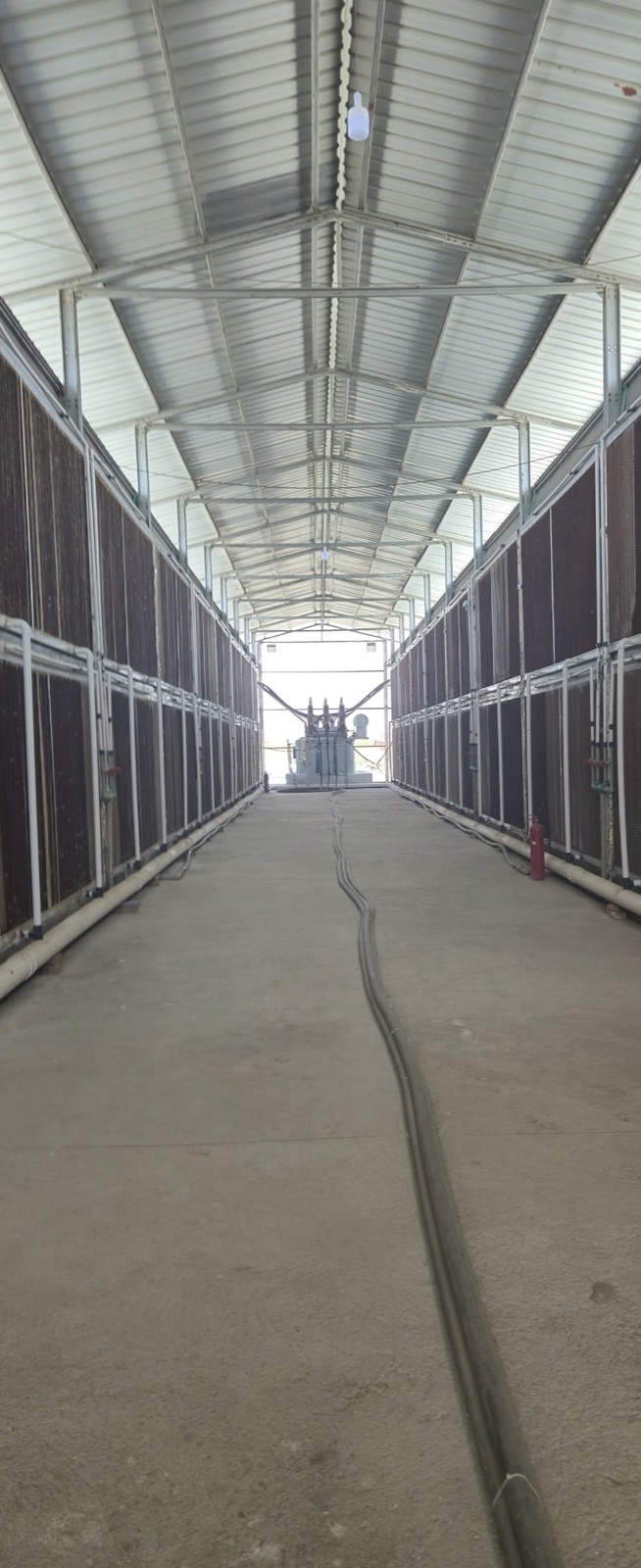
VERDICT: Setting up an Antminer is straightforward if the power and cooling are right. For most owners the better answer is to let a host with industrial power and on-site technicians do all eight steps.
THE ONEMINERS VIEW
When a machine ships to a OneMiners hosting center, every step above is done on site: circuit, cooling, network, pool and firmware, with monitoring in the OneMiners app and a 7-year hardware warranty. Already own a machine? OneMiners will host hardware you already own.
MORE FROM ONEMINERS
Crypto Mining Setup 2026: Power Before the Rig →ASIC Tuning 2026: Firmware, Underclocking and Uptime →Home Bitcoin Mining in 2026: Noise, Heat and the 75 dB Problem →Skip the wiring, keep the Bitcoin
Calculate your numbers first
Put your machine and your electricity rate into the OneMiners Bitcoin mining calculator. If your rate sits above the machine's break-even line, stop there.
Choose the Bitcoin miner
Pick hardware on efficiency and capital per terahash, not on headline hashrate. The full Bitcoin miner catalogue lists live prices and specs.
Activate the hosting
Place it where power is cheap and fixed. OneMiners publishes every rate on its hosting centers page, from 4.80 cents per kWh, or 3.64 cents on a 7-year prepaid contract.
Frequently asked questions
How do I find my Antminer's IP address?
Check your router's connected-devices list, or press the IP Report button while Bitmain's IP Reporter tool runs on the same network.
What voltage does an Antminer need?
Current models run on 200 to 240 V. Some accept higher voltages; check the label on the unit's power supply.
Can I plug an Antminer into a normal wall socket?
Generally no. Most current units exceed what a standard household outlet and circuit can safely supply continuously.
What pool settings does an Antminer need?
A stratum URL, a worker name in account.worker format and a password as specified by the pool. Add two backups.
How long does an Antminer take to reach full hashrate?
Usually 15 to 30 minutes after it starts hashing.
Should I update Antminer firmware?
Only with official releases from Bitmain or the OneMiners firmware page.
Why is my Antminer hashrate low?
Most often heat: high intake temperature on air units or poor coolant flow on hydro units. A failed hashboard is the next most common cause.
Can OneMiners set it up for me?
Yes. Hosted machines are installed, configured and monitored on site. See how it works.
START WITH ONEMINERS
Let the technicians wire it. You watch it hash from the app.
See how hosting worksHost a machine you already ownChoose a Bitcoin minerSOURCES AND DATA
- Bitcoin network difficulty, block height and supply: mempool.space and blockchain.info, read 24 September 2026
- Bitcoin price: CoinGecko spot, 24 September 2026
- Transaction fees: mempool.space reward statistics, last 144 blocks
- Bitcoin miner prices and specifications: live OneMiners catalogue, 24 September 2026
- Hosting electricity rates: published OneMiners location pages
- Continuous-load rule: US National Electrical Code, 80% continuous loading guidance
- Setup procedure: Bitmain Antminer user documentation
Michal Beno
CEO of OneMiners, the global Bitcoin mining hosting and hardware platform with 15 published hosting locations, 7-year fixed electricity contracts and a 7-year hardware warranty. He writes about the economics of industrial Bitcoin mining.
Informational only, not financial advice. Every figure in this article is a snapshot taken on 24 September 2026 from the live Bitcoin network and the live OneMiners catalogue and published hosting rates. Mining revenue moves with Bitcoin's price, network difficulty and transaction fees, and can fall as well as rise. No fixed return is offered or implied. Do your own research before buying hardware or hosting.
